Locked with your key
Everything written, drawn or pasted in: the text, the notes, cards and drawings on a board, and every picture. What people type live and where their cursors are. The version history too, which starts again when you encrypt.
One real-time workspace for your team. Write on a clean A4 page, plan on a freeform board with kanban lanes, mark up and sign PDFs, and keep shared calendars, with every change showing up as it happens.
Built for the desktop, with a NiBo Android app for tablets.
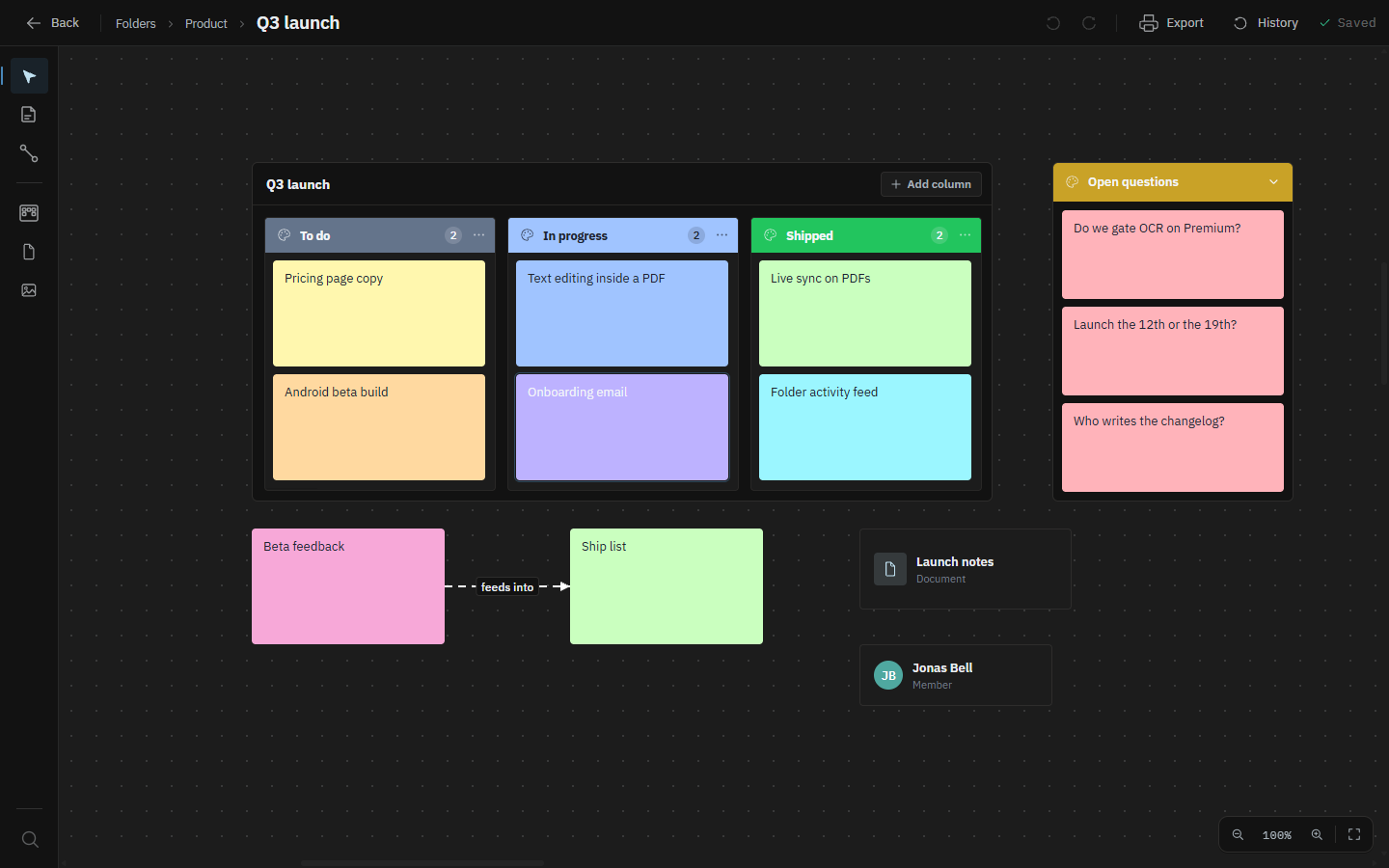
The board
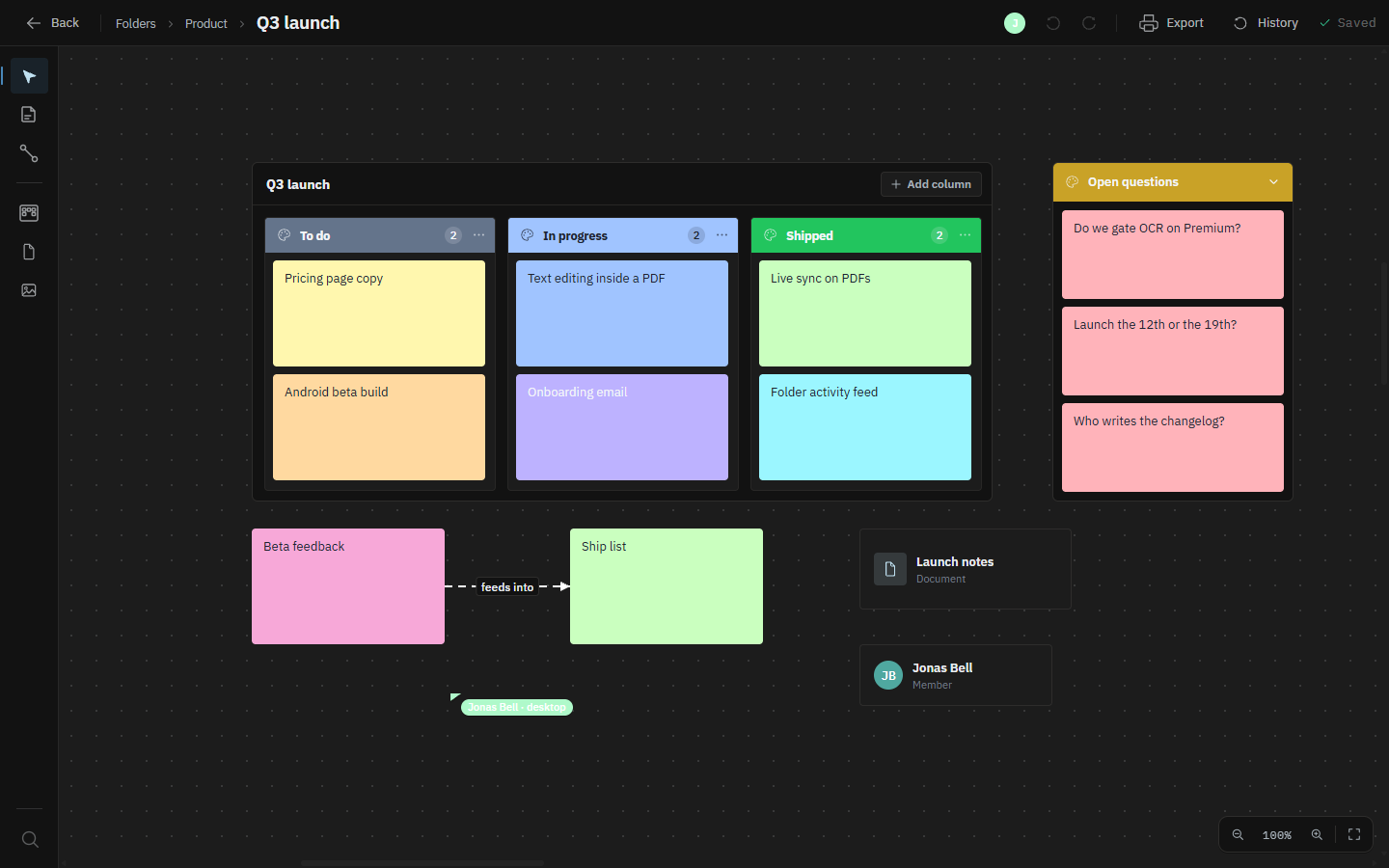
Put notes, checklists, shapes and freehand drawings anywhere on an infinite canvas and join them with labelled arrows. When a corner of the canvas needs structure, give it structure: stack cards in a column, run work across kanban lanes, or drop in a table. Boards also hold your documents, PDFs, links and the people you work with as cards. With the NiBo Android app you can draw straight onto the board with touch or a stylus.
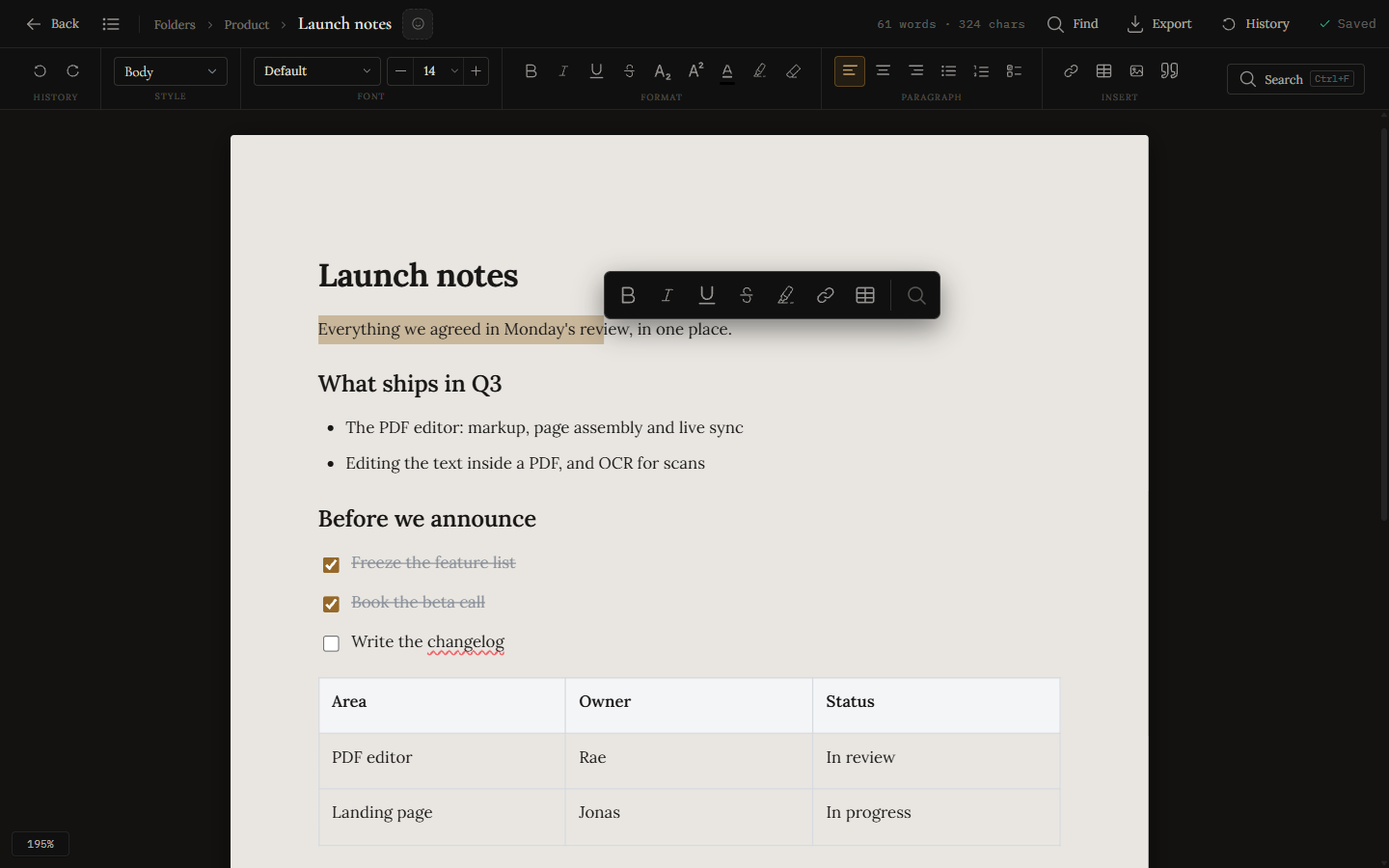
The editor
Write on a full A4 page with headings, lists, checklists, tables and images. A built-in spell check catches typos as you type, find & replace and a live outline keep long documents manageable, and version history means an afternoon's work is never one mistake away from gone. Print, export to PDF, or take the whole thing away as a Word document — images, colours and all — or as Markdown.
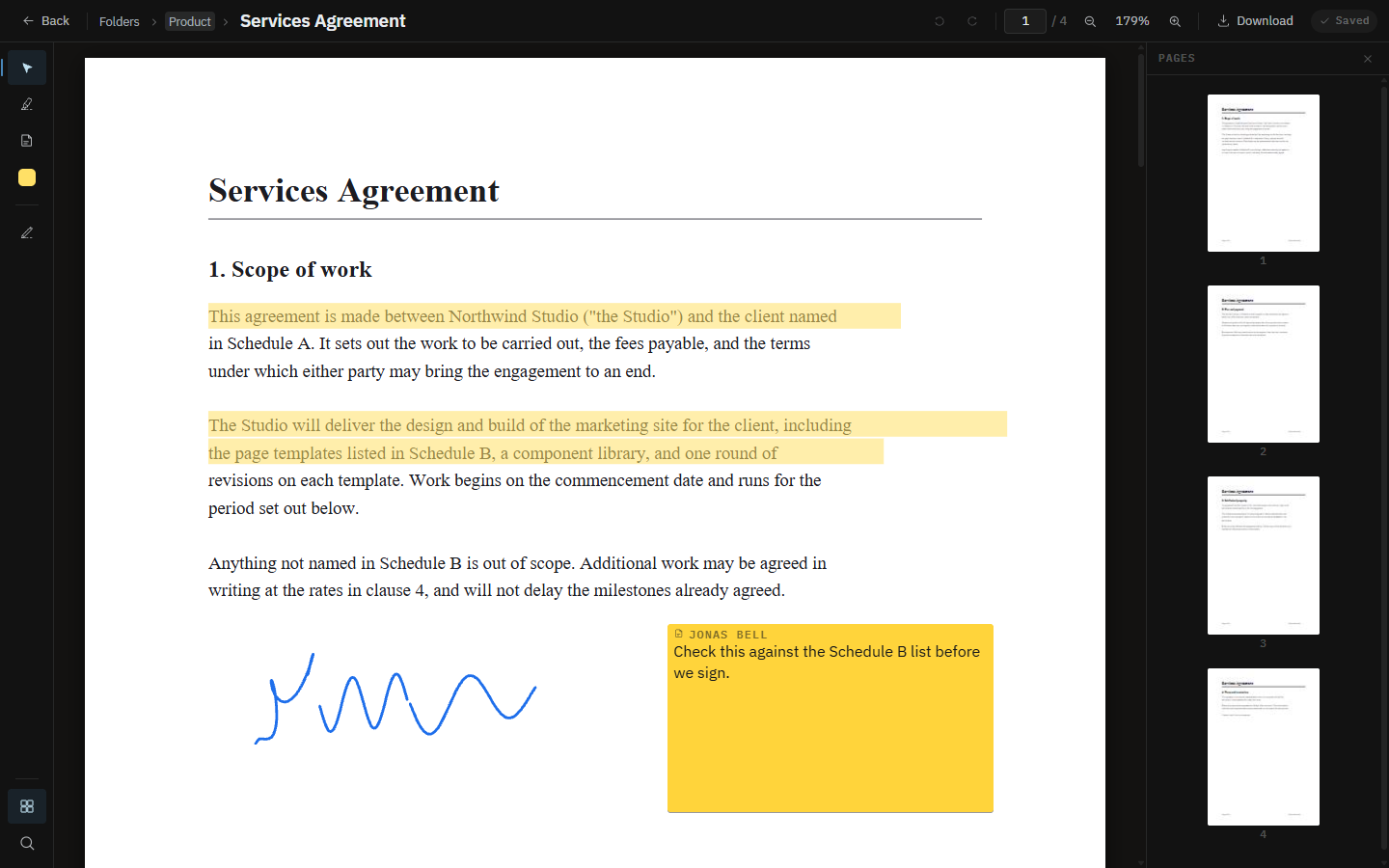
The PDF
Open a PDF in its own space and work on it: highlight, underline, drop a sticky note, draw, stamp it and sign it. Drag the page thumbnails to reorder, rotate or pull a page out. On Premium you can edit the words already set in the page, so a wrong date is a correction rather than a note asking someone else to make one, and OCR turns a scan into text you can search and select. Download it and every annotation is baked into a new file, because the PDF you uploaded is never rewritten: Revert to original always has something to go back to.
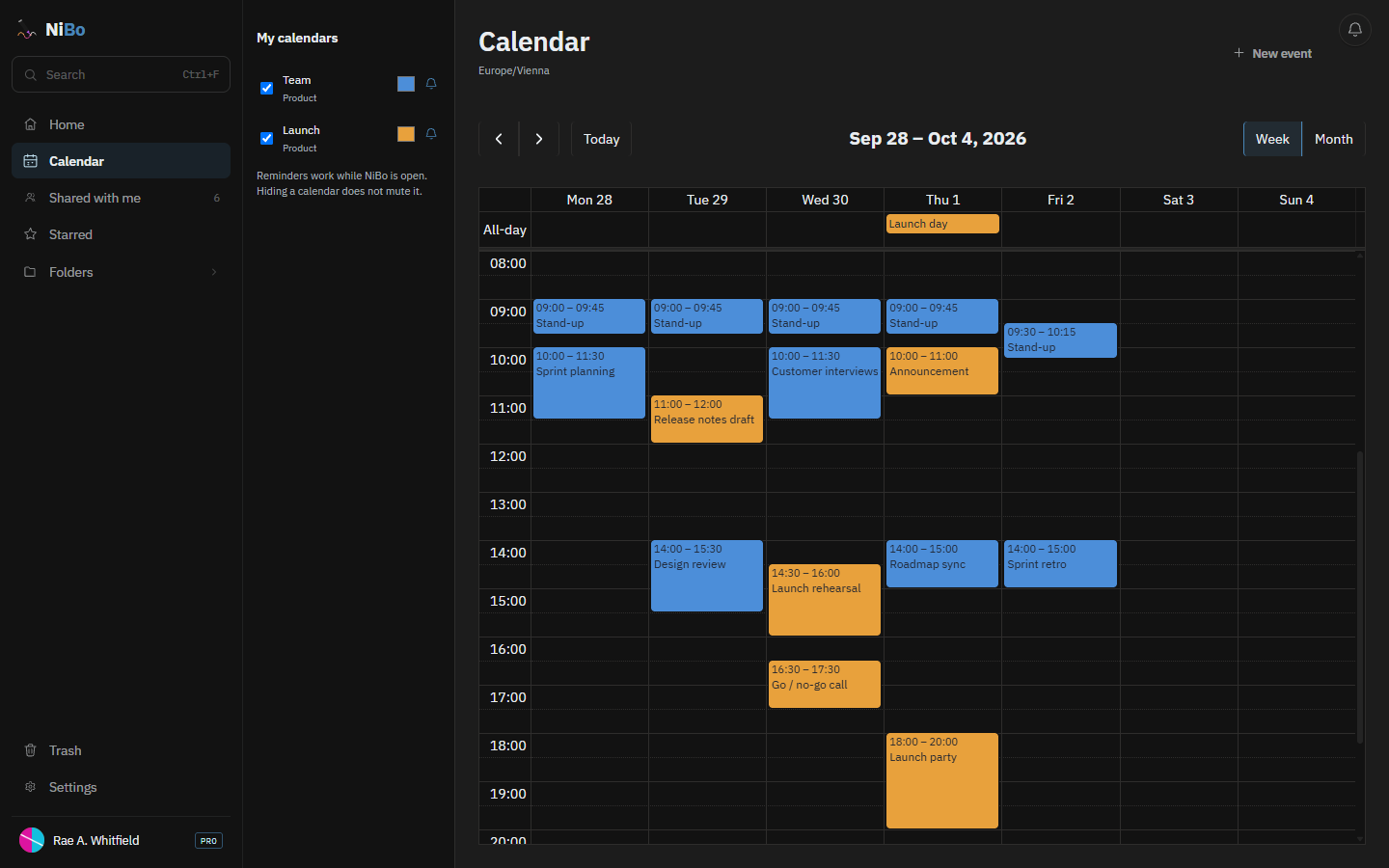
The calendar
A calendar sits in a folder like any document, so everyone you share the folder with plans from the same one and sees each change as it is made. Beside the shared ones you keep a private calendar that nobody else can see. Switch between week and month, see all your calendars at once in their own colours, and repeat an event daily, weekly, monthly or yearly, then move one occurrence or everything after it. Reminders are yours alone and pop up while NiBo is open. Put an event on a board as a card that always shows its current time.
To-do lists
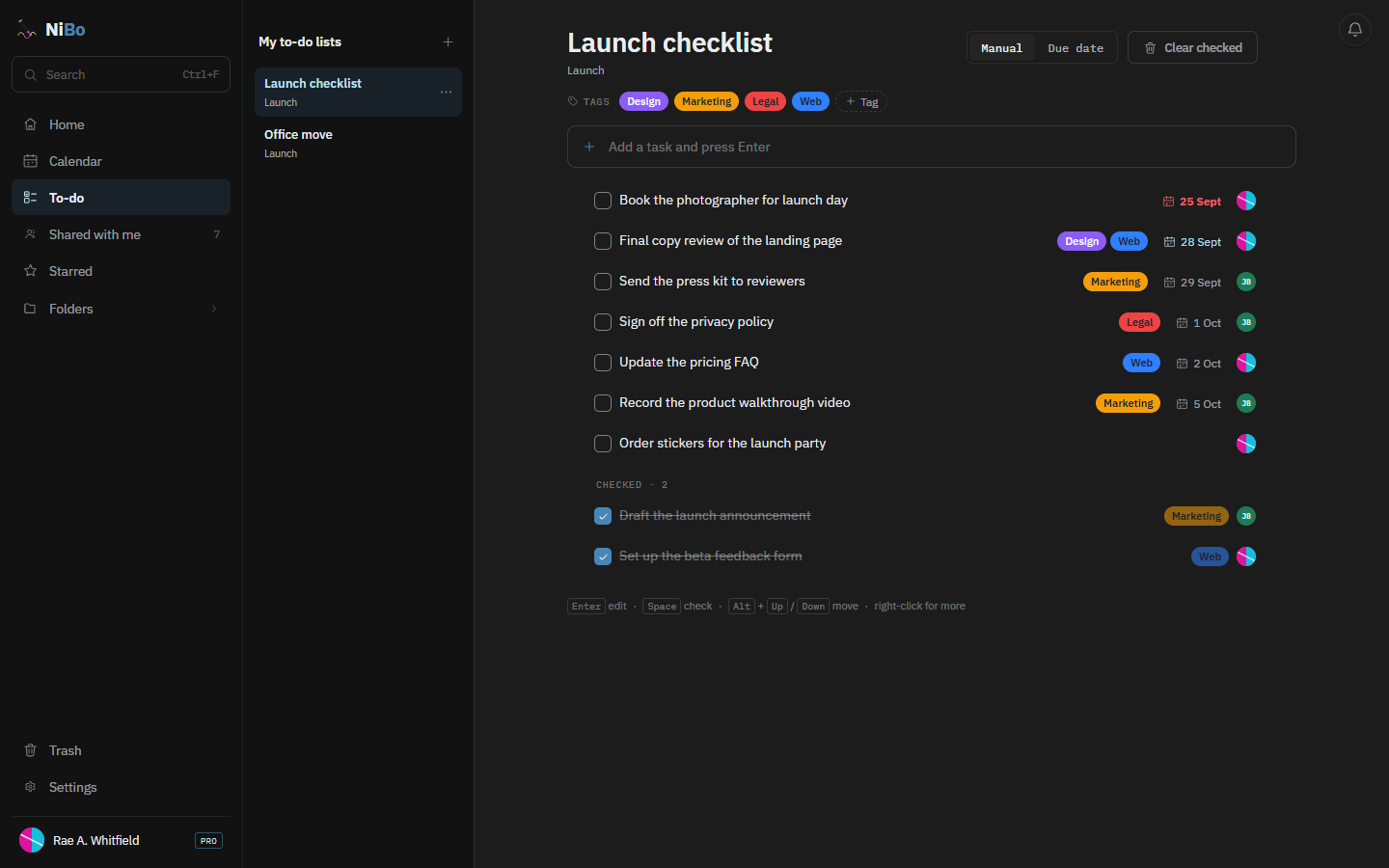
Every new account starts with a private to-do list that nobody else can see. Lists you make in a folder are shared the way a calendar is: everyone in the folder works from the same list, and a checked task shows up on their screens as it happens. A task is one line. Check it off and it is crossed out and drops to the bottom; give it a due day that turns red once it has passed; mark it with the list's own coloured tags, and see who added it. Drag tasks into your own order or sort them by due date. Put a list on a board in the same folder and check tasks off right on the card.
Spreadsheets
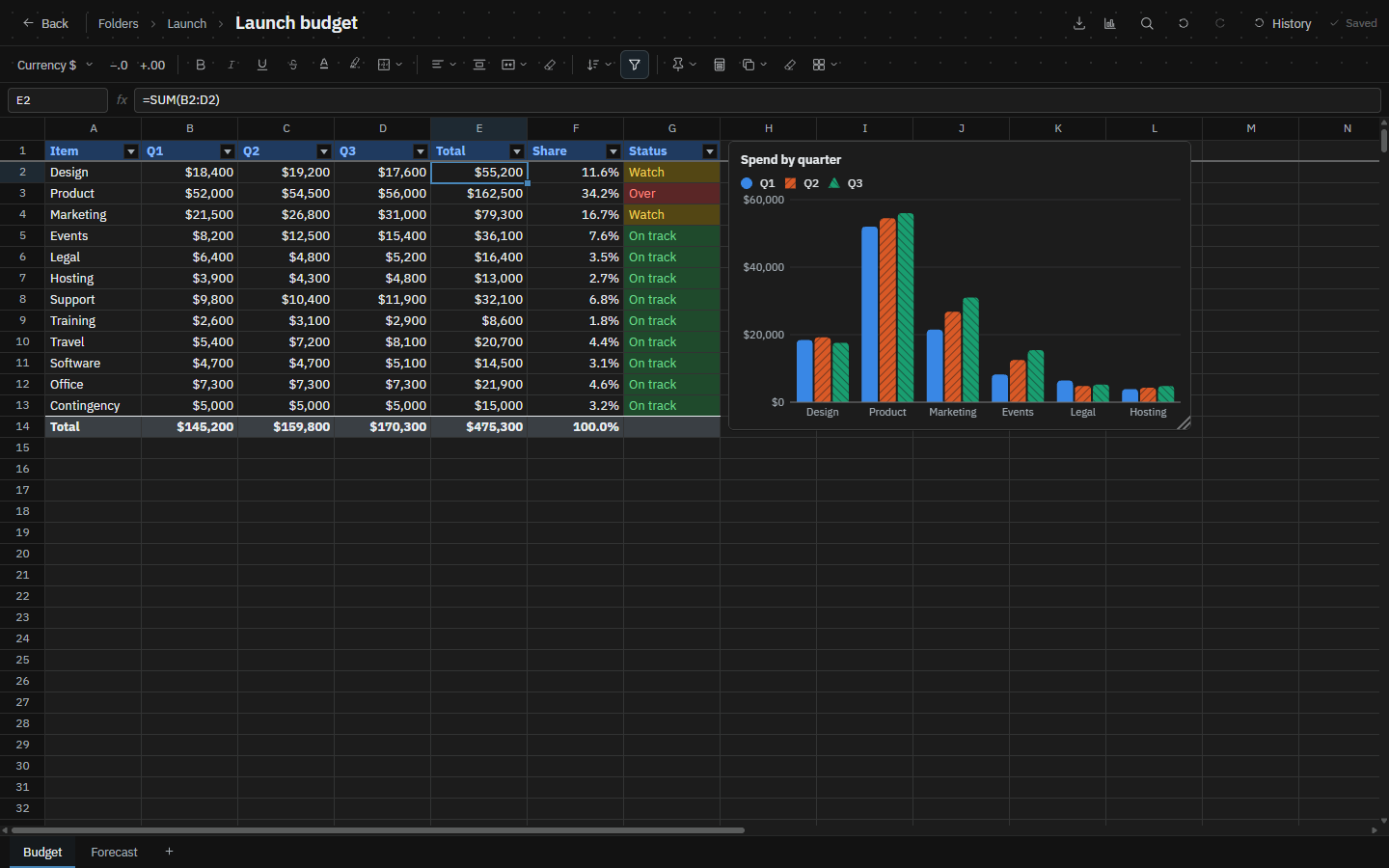
Type a formula, format the numbers, sort, filter and chart any range, in a sheet that everyone in the folder edits at once. Open an Excel or CSV file as a new spreadsheet, and download yours as CSV, or as Excel on Premium.
Real-time
Invite someone to a folder and you are both on the same board, document or PDF at once. You see their cursor and their name as they move a card, draw or write. Two people can work on the same note, or type in the same paragraph, without overwriting each other. Few editors let two people into the same PDF at once: here you both mark up the same file, and each highlight appears on the other screen as it is drawn. Calendars and to-do lists update live for everyone who has them open, too.
Folders
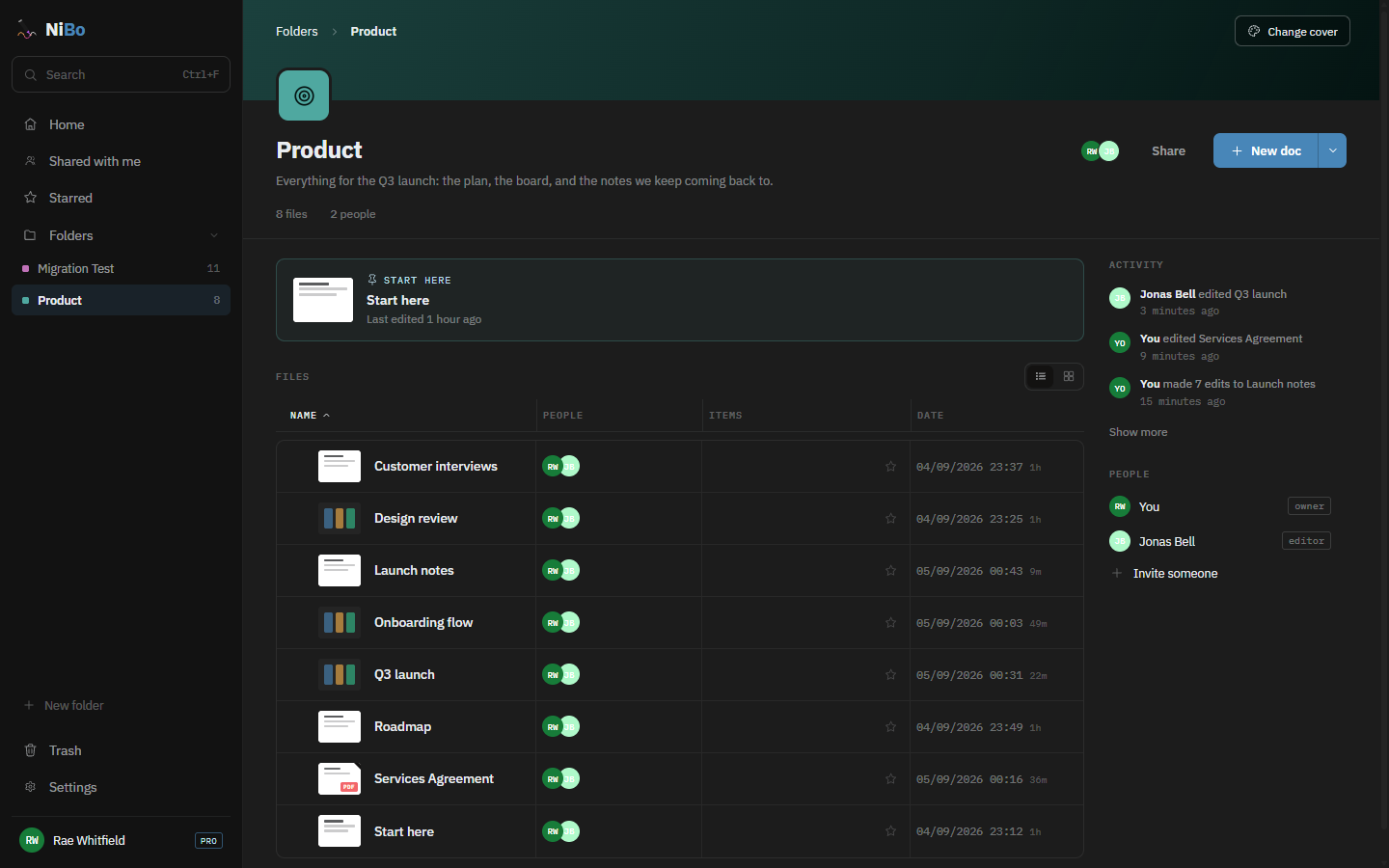
Give a folder a colour, an icon and a line about what it is for, pin the file people should read first, and nest subfolders inside it. Share the whole folder at once, and people get edit or view-only access. When you come back, the activity feed says what happened and a quiet dot marks what changed since you were last here.
Encryption Premium
Encrypt a document or a board and everything in it is locked in your browser before it is saved or sent, even what people type live and where their cursors are. The key is one small file on your computer: NiBo makes one for you, or you choose one you already have, so one key can lock many files. It never goes to NiBo, so nobody at NiBo can read what is inside. Send the key file to the people you invite, however you like. With it, the file opens as usual, and choosing the key once per visit opens every file it fits. Without it, all they see is a lock.
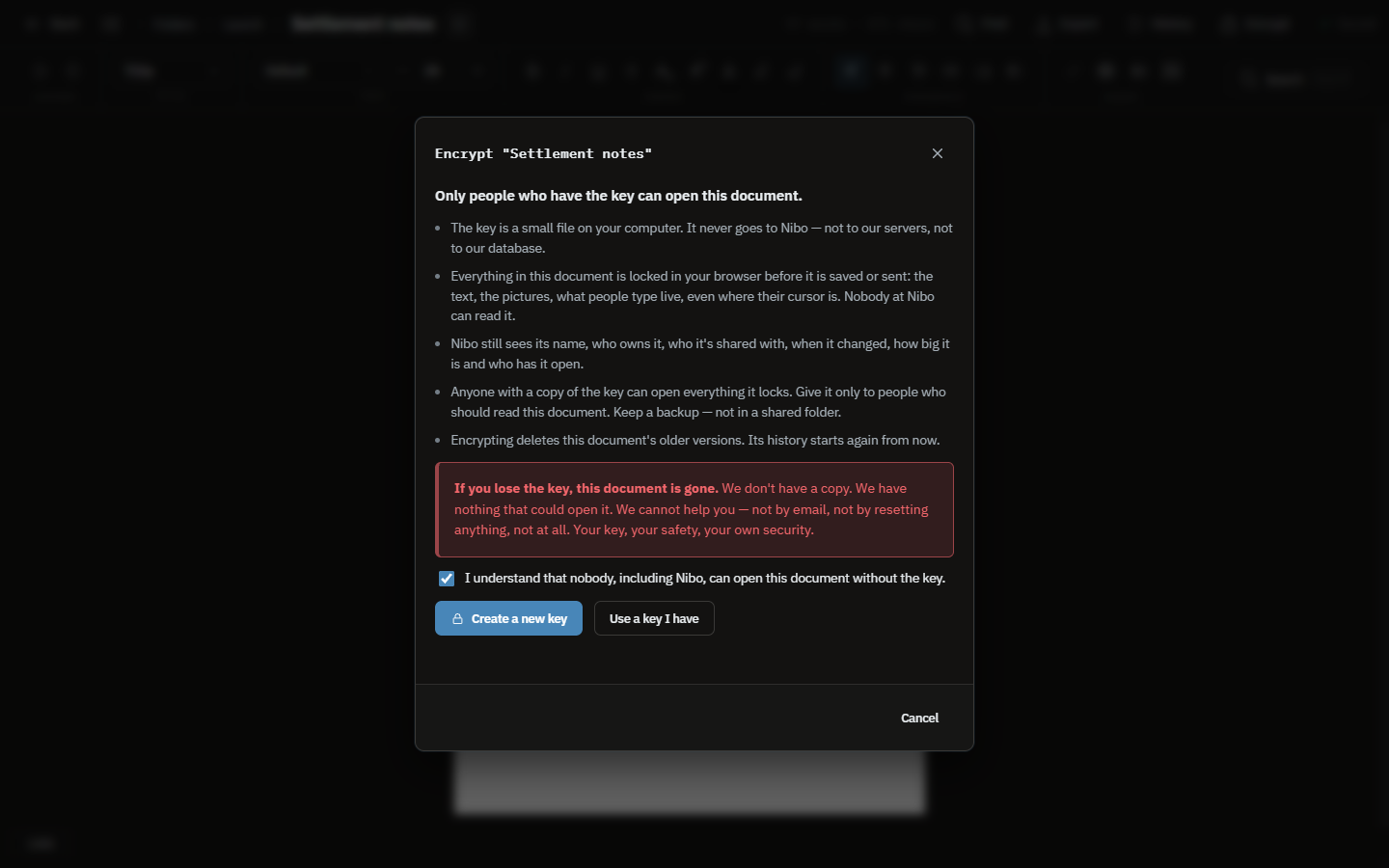
Everything written, drawn or pasted in: the text, the notes, cards and drawings on a board, and every picture. What people type live and where their cursors are. The version history too, which starts again when you encrypt.
The file's name, who owns it, who it is shared with, when it changed, how big it is and who has it open. On an encrypted board, cards that point to other docs, PDFs, people, events or to-do lists stay, so NiBo also sees what the board links to. Those files are not locked with it. A linked doc or board can be encrypted too, with the same key if you like; PDFs, calendars and to-do lists can't be.
The file is gone. We keep no copy of the key and nothing about it, so there is no reset and no recovery, and nobody at NiBo can help. Anyone with a copy of the key opens everything it locks: keep a backup somewhere safe, not in a shared folder.
Encrypting deletes a file's readable text and older versions from our database at once, and its pictures from storage within a day. Copies left behind in the database's backups and logs age out on their own; backups are kept for up to seven days. A file encrypted while it is still empty never had its content stored readable.
As in every web app, the code that locks your files is sent by our server. Encryption protects what we store: from us, from an intruder, from a demand for our data. It cannot protect you from a tampered NiBo: whoever controlled the code nibo.one serves could make it copy a key the next time it is used.
Only a file's owner can encrypt it, and it takes Premium; only the owner can remove the encryption again. If Premium ends, encrypted files still open and can be read, and the owner can still remove the encryption; editing waits until Premium is back. The NiBo Android app does not open encrypted boards.
Home
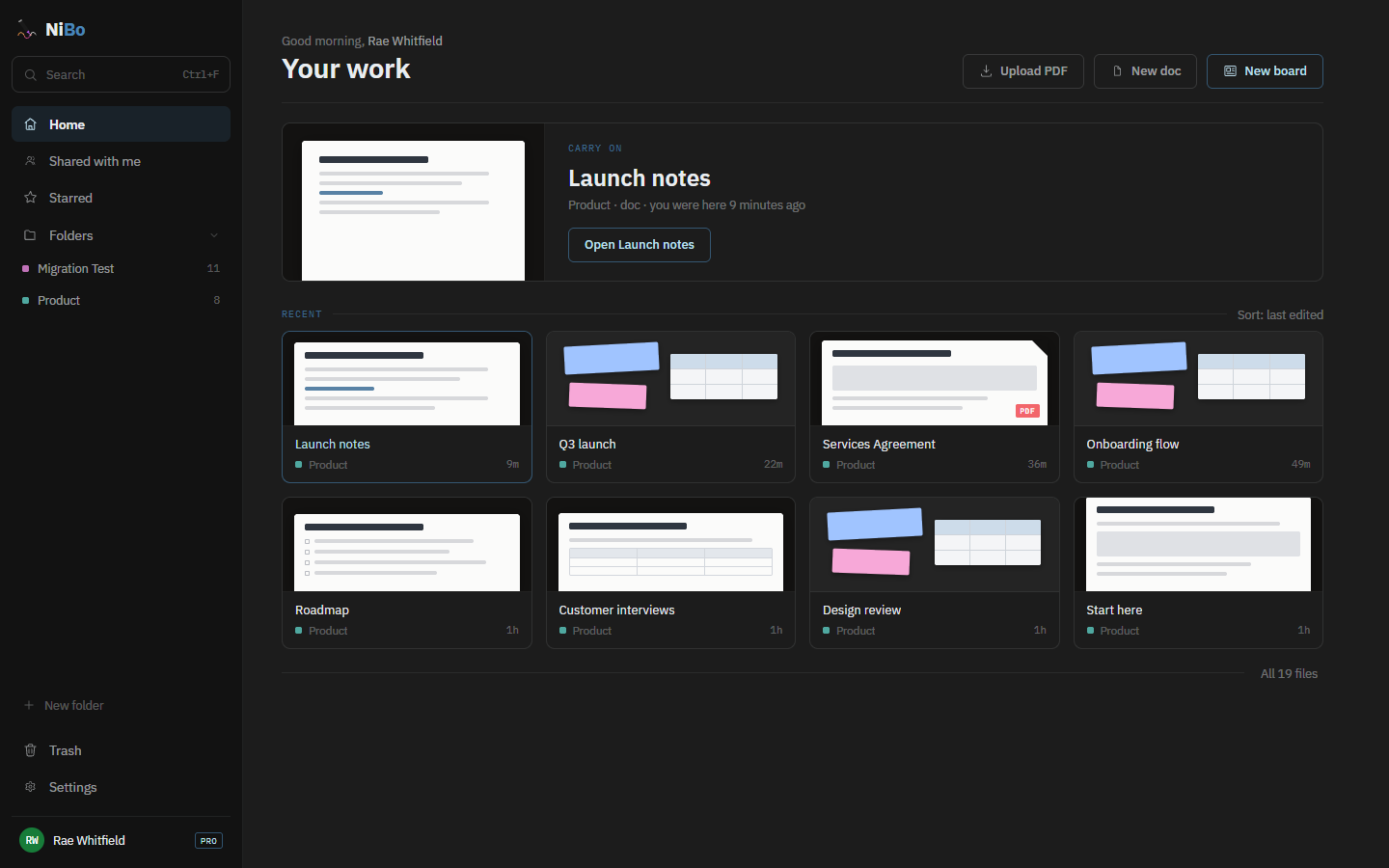
Home opens on the thing you were last in, and tells you who else is in it right now. Under that, everything you have touched recently, with a preview. Starred keeps what matters close, Shared with me collects what other people brought you, and Trash holds deleted work for 30 days before it clears itself.
One door
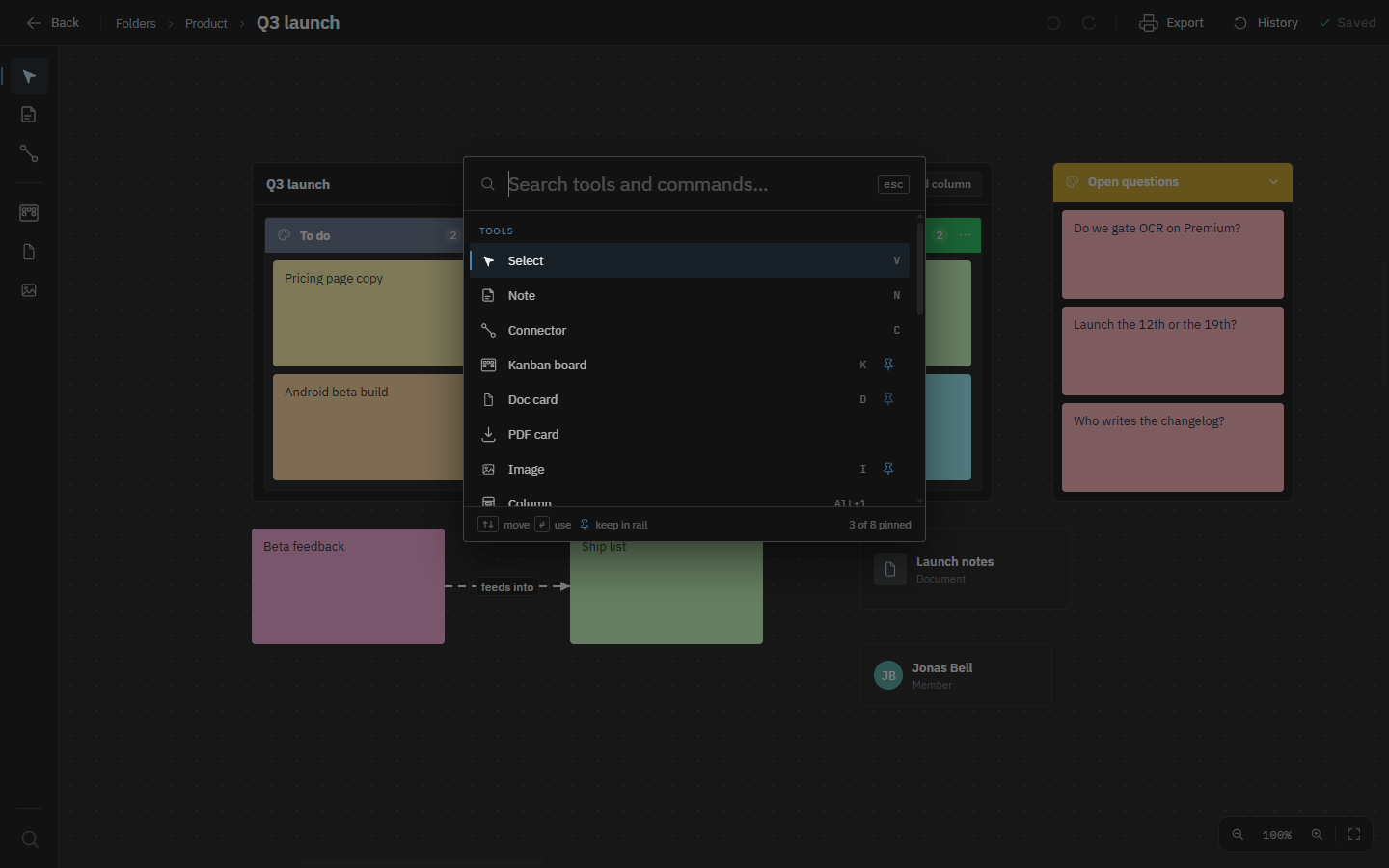
Every tool and command lives in one searchable list, opened with Ctrl+F (⌘F on a Mac). Type three letters and it is there, with no hunting through a toolbar that grows every release. Anything you reach for often, you pin: on a board it joins the left rail, in a document it follows your cursor. Search finds it, pinning keeps it.
Pricing
Everything you need to get going.
For when the free plan stops being enough.
Frequently asked questions
NiBo is one collaborative workspace for documents, freeform boards, PDFs, calendars and to-do lists. You can organise them in folders, invite your team and edit together in real time.
Yes. The Free plan is $0 forever and includes 3 documents, 1 board, 3 PDFs, 2 calendars, 2 to-do lists, 3 spreadsheets, live sync and sharing. Premium adds higher limits, version history, PDF text editing and OCR, end-to-end encryption, and more export options.
Invite people to a folder as editors or viewers. Editors can work on the same board, document or PDF at once, with live cursors and changes appearing as they happen. Calendars and to-do lists update live for everyone too.
You can read, highlight, comment, draw, stamp, sign, reorder and rotate pages. Premium also adds text editing and OCR for scanned PDFs.
No. NiBo stores annotations and edits separately and bakes them into a new file when you download. The uploaded original is never rewritten.
NiBo is built for a focused desktop browser workspace and also has an Android app for tablets with touch and stylus support.
Boards can hold notes, checklists, shapes, drawings, images, polls, tables, links, and cards for documents, PDFs, people, calendar events and to-do lists. You can arrange work freely or organise it into columns and kanban lanes.
Yes. Free accounts can print documents or export them to PDF, and annotated PDFs download as new PDF files. Premium also adds board PNG and PDF export, plus Word (.docx) and Markdown export for documents — the Word file keeps your images, colours, fonts and tables. A spreadsheet downloads as CSV on every plan and as an Excel file on Premium.
Documents, boards, PDFs, calendars, to-do lists and spreadsheets live together in folders, and you can share a whole folder or a single file. The workspace also gives you one Calendar page that shows every calendar you can see, one To-do page with every list you can reach, and views for recent work, shared files, starred files and trash.
Yes. Every new account starts with a private to-do list, and lists you make in a folder are shared with everyone in it. A task is one line with an optional due day and coloured tags, checked tasks drop to the bottom, and changes appear live for everyone. A list can also sit on a board, where its tasks can be checked off. The Free plan includes 2 to-do lists.
No. On Premium, the owner of a document or board can encrypt it with a key file that never goes to NiBo, and its text, pictures and live edits are locked in the browser before anything is saved or sent. NiBo still sees the file's name, owner, who it is shared with, when it changed, its size, who has it open, and what an encrypted board's cards link to. There is no recovery: if every copy of the key is lost, nobody can open the file.
Yes. Premium keeps version history for documents and boards, so you can inspect earlier snapshots and restore one when needed.